
Reviewed · LINDOS VILLAGE & ACROPOLIS
Explore Lindos Acropolis in 3D & Audio
Ruins turn into a story on your screen. At Lindos Acropolis in Rhodes, this 3D & Audio experience helps you make sense of the sanctuary by pairing what’s left on the hill with digital reconstructions and panoramic viewpoints. I like that it’s structured around specific monuments, so you’re not wandering and hoping you noticed the important bits.
One thing to weigh first: the tour price is for the app-style guide, not for the site ticket. Entrance fees are €12, and the experience needs internet access plus a smartphone and earphones (not included).
In This Review
- Key Highlights at a Glance
- Lindos Acropolis Becomes Manageable With 3D Maps and On-Site Audio
- Price and What You Still Pay at the Gate
- Getting the App Ready: Internet, Smartphone, and a Practical Download Flow
- Your Walk on the Sacred Hill: From Athena Lindia to a Medieval Fortress
- How the Knights, Tiberius, and Diocletian Fit Into the Same View
- The 3D Models and 360 Views: What They Help You Actually See
- 3D models
- 360 panoramas
- Audio That’s Short and Clear, With One Fair Warning
- Integrated Maps: Your Fast Way to Stay on Track
- When This Tour Is the Best Fit (and When You Might Skip It)
- Should You Book the Lindos Acropolis 3D & Audio Tour?
- FAQ
- How long is the Lindos Acropolis 3D & Audio experience?
- Where does the tour start and end?
- Is the entrance ticket included in the price?
- What does the tour include?
- Do I need to bring a smartphone or earphones?
- Does the tour work without internet access?
- When is the site open?
- How do I get the tour content on my phone?
- What’s the maximum group size?
- What is the cancellation policy?
Key Highlights at a Glance
- 3D models for 15 monuments help you picture how key structures looked in their heyday
- 360 panoramas from 15 monuments are great for getting your bearings on the hill
- Maps + IDs + written and audio info cover 20 monuments, so you can read or listen your way
- Camera-based monument naming lets you aim your phone to reveal what you’re looking at
- Narrative stories for 7 monuments connect ancient worship with later medieval chapters
More clifftop Lindos and its Acropolis, gathered in one place
- From Rhodes: Lindos Round-Trip Bus Transfer with Free Time★ 4.7 · 1,125 reviews
- From Rhodes Town: Day Trip to Lindos★ 4.7 · 1,062 reviews
- Rhodes: Guided Bus Trip to Lindos Village & Seven Springs★ 4.3 · 1,014 reviews
- Rhodes: Lindos Bus Tour with Free Time to Explore★ 4.7 · 986 reviews
Lindos Acropolis Becomes Manageable With 3D Maps and On-Site Audio
Lindos Acropolis is a place where your brain constantly asks, What am I seeing? This tour tackles that problem with a simple idea: every time you stop, you get the context right where you are. Instead of treating the ruins like random stone patterns, the app helps you link the view in front of you to a named monument and a clear explanation.
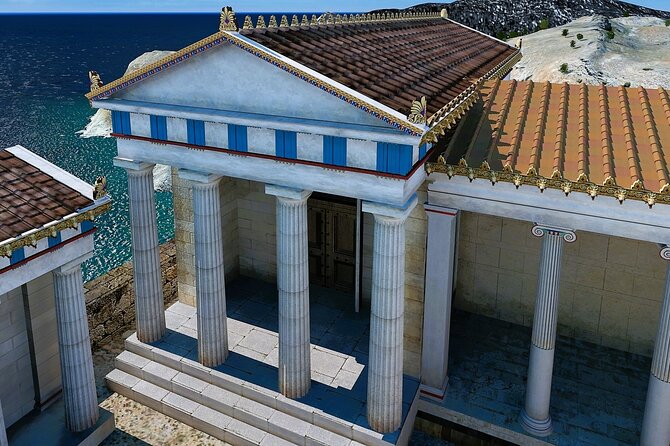
The two biggest wins are the 3D reconstructions and the 360 panoramic viewpoints. Up close, ruins can look confusing—especially when you’re fighting sun, wind, and the slope of the hill. The digital layers make it easier to understand what’s missing, what’s still standing, and how the sanctuary would have felt in use.
Also, I appreciate how the content is built around concrete points. You’re not just listening to a long lecture. You’re moving through an archaeological landscape with monument identification, integrated mapping, and short historical segments tied to where you’re standing.
Price and What You Still Pay at the Gate
This experience is listed at $8.09 per person, and that’s a tempting number. The value is in paying for guided interpretation without paying for a live guide. But you should budget for the site ticket: entrance fees are €12 and not included.
So the real question isn’t just the dollar amount—it’s what you get for it. For the price, you’re getting:
- identification help with an integrated map
- written and audio historical information tied to 20 monuments
- 3D models and 360 views for a set of key spots
- additional stories, plus videos for a portion of monuments
If you’re comfortable using your phone outdoors and you want structure, it can feel like a bargain. If you don’t want phone-based interpretation, you may find it less satisfying than hiring a human guide who can answer questions on the fly.
Getting the App Ready: Internet, Smartphone, and a Practical Download Flow
The tour requires internet access to function properly. That matters in Lindos because you’re on a real site, moving around, and you don’t want to discover connectivity problems halfway through.
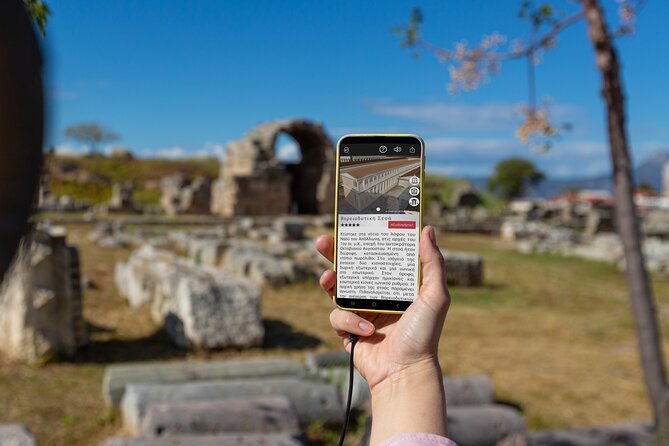
After booking, you’ll receive an email with instructions for downloading the tour app. Once you open the app on your smartphone, you choose your tour language. The content then downloads automatically.
Here’s how I’d set yourself up for a smoother experience:
- Do the download with a stable connection before you start
- Bring a phone battery backup if you’re the type who takes lots of photos
- Have your earphones ready (the tour notes that earphones aren’t included)
- If you’re sensitive to audio volume, test it before you reach the main viewpoints
One more practical detail: the experience includes a feature where you aim the mobile camera at the monument to reveal its name. That’s a helpful way to stay oriented, especially when there are multiple stones and terraces within a small area.
Your Walk on the Sacred Hill: From Athena Lindia to a Medieval Fortress
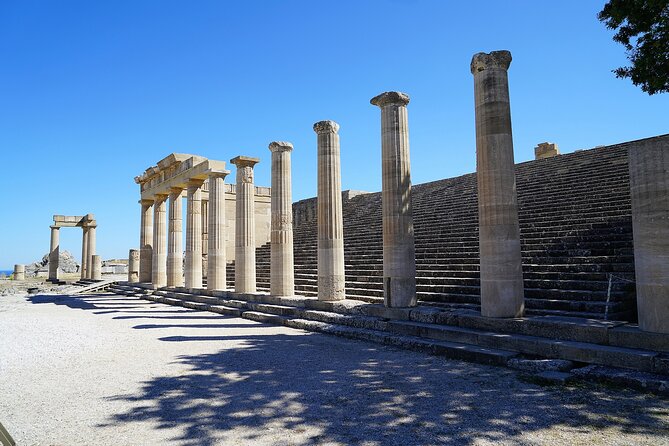
This is a focused, single-stop experience centered on the Acropolis of Lindos. You start at the Acropolis of Lindos address in Lindos and end back where you began. Expect about 45 minutes to 1 hour to work through the main points—fast enough to keep momentum, long enough for the history to sink in.
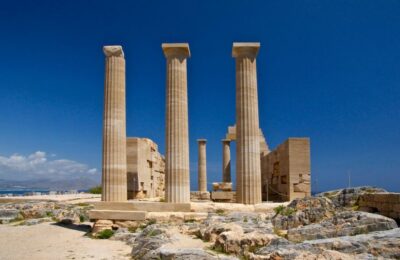
The story thread is Athena. The sanctuary is described as having roots back to the 9th century BC, with a major flourishing during the Hellenistic period. Then, the site’s meaning shifts again—into a medieval castle phase. That arc is part of why this tour works: you’re not just looking at one era. You’re seeing layers.
As you move through the site, the app ties what you’re looking at to different types of content:
- Written historical information for 20 monuments (good when you want to read at your own pace)
- Audio historical information for 20 monuments (good for hands-free learning)
- 3D models for 15 monuments (helpful for imagining original structure)
- 360 panoramic views from 15 monuments (useful for understanding layout and relationships between spaces)
- Related stories for 7 monuments and extra videos for 8 monuments
The practical value here is pacing. You’ll get enough context to understand what matters, without spending an entire afternoon on a multi-hour guided program.
A few more Rhodes tours worth a look before you go




How the Knights, Tiberius, and Diocletian Fit Into the Same View
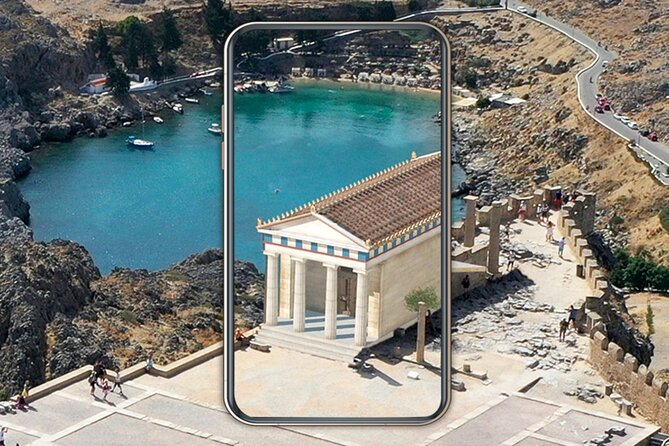
One of the more interesting angles of the content is how it connects the ancient religious space to later chapters of Rhodes history. You’ll get explanations—through audio and text—about the relationship between Athena and the Knights of the Order of St John. You’ll also see how the emperors Tiberius and Diocletian connect to Rhodes in the story the app tells.
Even if you’re not a classicist, this kind of layered storytelling changes how you look at ruins. It shifts the ruins from a standalone museum-like display into something that people repurposed, argued over, defended, and reinterpreted over centuries.
And since the site transforms into a medieval castle, you get a built-in reason to pay attention beyond just the earliest foundations. You’re watching how power and belief leave physical marks on the same hilltop.
The 3D Models and 360 Views: What They Help You Actually See
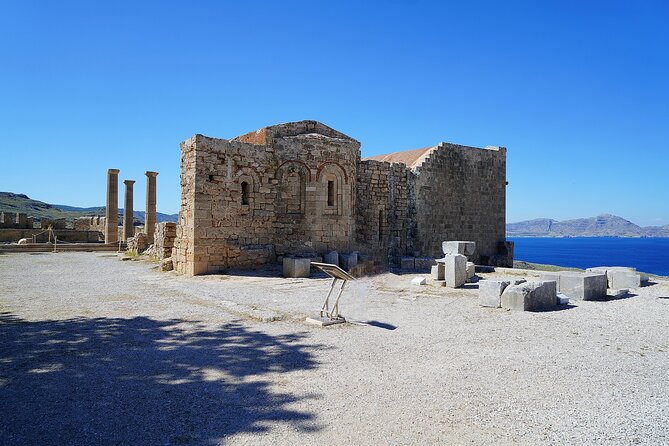
The most helpful digital tools are the ones that correct the most common mistakes.
3D models
At Lindos, stonework and collapsed sections can blur together. The 3D models for 15 monuments let you see the likely form of key structures. That helps you understand:
- what was probably standing when the sanctuary was active
- what might have been walls, platforms, or different architectural elements
- how spaces relate to each other when viewed from the ground
360 panoramas
A lot of people get great photos at Lindos, then later wonder what they photographed. The 360 panoramic views from 15 monuments help you place yourself. You can compare the view with the monument you’re learning about and get your bearings fast.
In plain terms: the panoramas help you stop feeling lost.
Audio That’s Short and Clear, With One Fair Warning
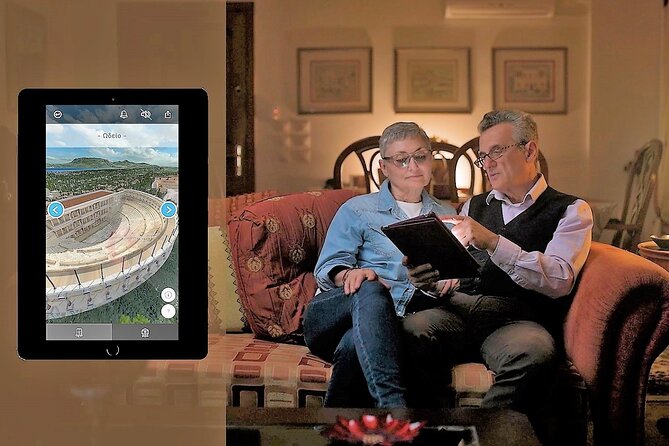
The audio is designed to be manageable. One positive point from the experience is that the audio segments are short and concise, which is ideal on a windy hill where you don’t want your day eaten by a long narration.
Still, you should know about a potential downside: one account flagged that the audio reading can stumble on difficult wording, including pauses mid-sentence. That doesn’t mean the audio is unusable, but it’s a fair heads-up.
My practical advice is simple: don’t rely on audio only. You also get written historical information for the same monument set. If the spoken narration doesn’t land smoothly for you, switch to reading on your next stop and keep moving.
Integrated Maps: Your Fast Way to Stay on Track
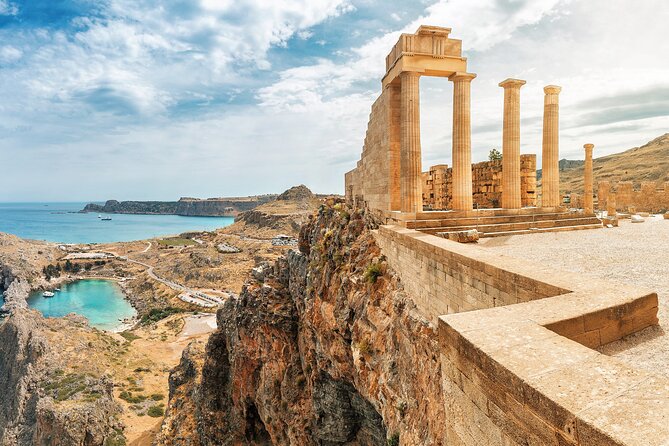
Outdoor archaeology has a way of making you wander. The integrated map and monument identification are there to prevent that frustration.
What you’ll likely appreciate is the structure: you’re not just viewing the area; you’re walking through it with a system. When you can match the spot in front of you with the correct monument name, you feel more confident in your understanding—and your photos become more meaningful afterward.
Also, the camera-based naming feature is a smart assist. When you’re standing near similar-looking terraces and stone blocks, having your phone confirm what you’re looking at can save time and keep you from second-guessing every stop.
When This Tour Is the Best Fit (and When You Might Skip It)
This experience suits you if:
- you want an affordable way to get context while you explore at your own pace
- you like learning with 3D visuals and structured stops
- you’re visiting without a traditional guide and want something built to replace that guidance
- you’re okay using a phone for key information while walking
It may be less ideal if:
- you don’t want to depend on your own device and internet connection
- you prefer a human guide who can adjust on the spot and clarify in real time
- you strongly dislike audio-style interpretation
And for most people, the time window works well. 45 minutes to 1 hour is long enough to learn without turning the outing into a full-day commitment.
Should You Book the Lindos Acropolis 3D & Audio Tour?
If you’re the type who wants to understand what you’re looking at—and you’re okay with using your smartphone—this is a strong value. The content covers a lot of specific points: 20 monuments with written and audio info, 15 with 3D and 360 viewpoints, plus extra stories and videos. That’s exactly the kind of coverage that makes self-guiding feel less like guessing.
I’d book it if you’re visiting Lindos Acropolis on your own or with friends who don’t want to hire a full guide. But I’d hesitate if your phone battery is a concern, you hate relying on internet, or you’d rather spend your time learning through conversation rather than through app audio.
FAQ
How long is the Lindos Acropolis 3D & Audio experience?
It takes about 45 minutes to 1 hour.
Where does the tour start and end?
It starts at Lindos Acropolis and ends back at the meeting point.
Is the entrance ticket included in the price?
No. Entrance fees are €12 and are not included.
What does the tour include?
It includes monument identification with an integrated map, written and audio historical information for monuments, 3D models and 360 panoramic views for some monuments, related stories, videos for some monuments, and a gift package with additional written and audio cultural information.
Do I need to bring a smartphone or earphones?
Yes. The smartphone or earphones are not included, and the tour requires a smartphone to run the Culture App.
Does the tour work without internet access?
No. The tour requires internet access to function properly.
When is the site open?
The opening hours listed are 8:00 AM to 8:00 PM, Monday through Sunday.
How do I get the tour content on my phone?
After booking, you receive an email with instructions to download the app. You open it on your smartphone, choose your tour language, and the content downloads automatically.
What’s the maximum group size?
The activity has a maximum of 99 travelers.
What is the cancellation policy?
You can cancel for a full refund if you do so at least 24 hours before the experience’s start time. If you cancel less than 24 hours before, the amount paid isn’t refunded.
More Self-Guided Tours in Rhodes




More Rhodes Tours to Browse





Lindos and Its Acropolis, More to See





Not quite this one? A few more Rhodes trips we have written up






Lindos Village & Acropolis, compared.
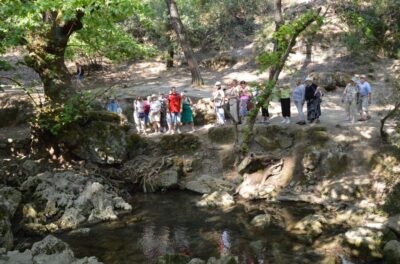 ★ 4.2Bus Tour to Lindos and the Seven Springs1,854 reviews
 ★ 4.6Lindos Cruise with 2 Swim StopsFrom $471,404 reviews
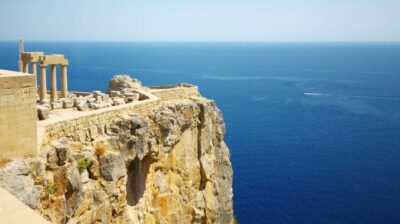 ★ 4.4Lindos Acropolis Entry Ticket & Optional Audio GuideFrom $261,285 reviews
 ★ 4.7Lindos Round-Trip Bus Transfer with Free TimeFrom $271,125 reviews
 ★ 4.7Day Trip to LindosFrom $281,062 reviews
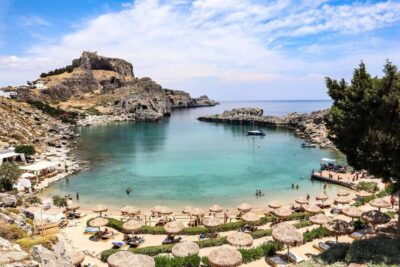 ★ 4.3Guided Bus Trip to Lindos Village & Seven SpringsFrom $311,014 reviews
 ★ 4.7Lindos Bus Tour with Free Time to ExploreFrom $16986 reviews
 ★ 4.5Easy Morning Transfer to Lindos & 4 Hours Free TimeFrom $32730 reviews
Browse the lists this tour appears in